Bubblegum Icon Pack1.6
Publisher Description
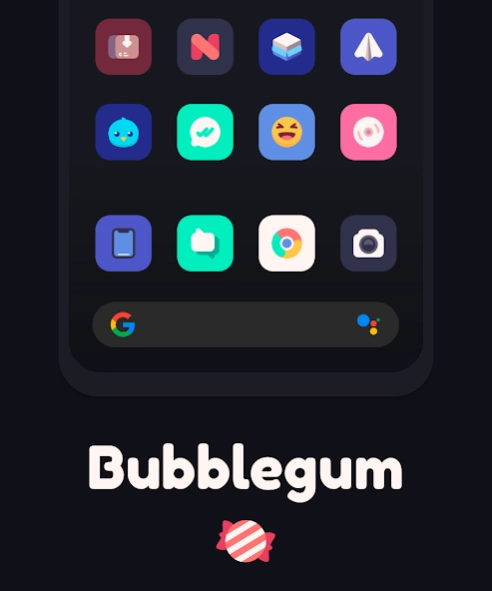
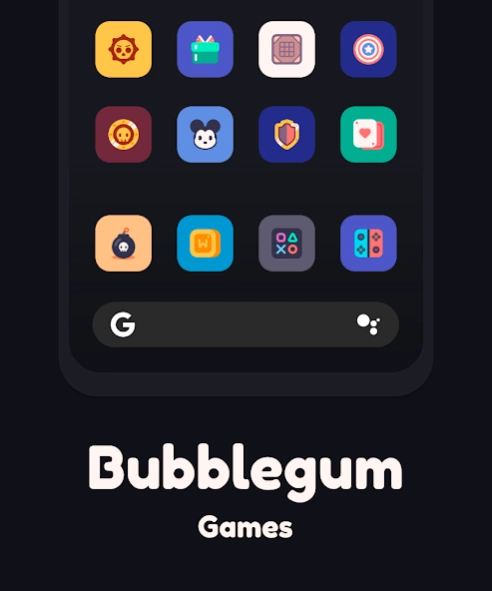
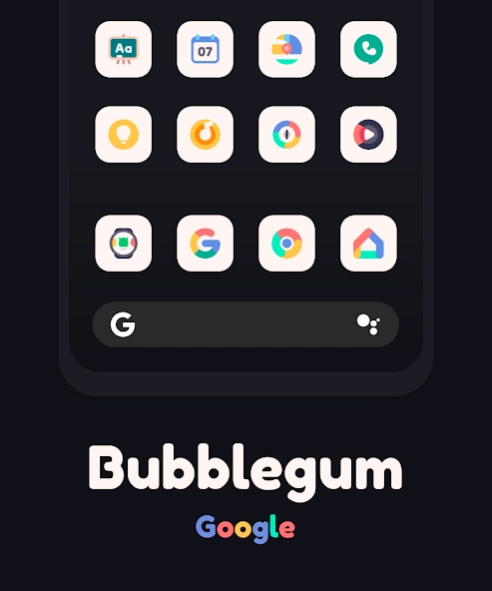
Bubblegum Icon Pack by @itsCrx
This is a rounded square icon pack by @itsCrx
Complement your mobile screen with exclusive minimal looking rounded square Icons. Bubblegum icons are all drawn beautifully and would fit nicely in just about any homescreen setup you might have going on your phone. Bubblegum Icon Pack have been designed with a Perfect blend of creativity with simplicity enhancing your mobile experience.
And do you know?
An average user checks their device more than a 60 times in a day. Make each time a real pleasure with Bubblegum Icon Pack.
Resolution?
All icons are made in the highest definition available for Android devices (so far). So they should look clean and sharp.
Alternative icons:
If you wish to use an alternative icon for a specific app, you can do so by holding down the specific icon, this will bring up a small popup allowing you to edit the icon and the name. From there, select the icon, this will show another popup then select Bubblegum icon pack and choose your preferred icon.
FEATURES
• Icon Pack with 1400+ icons.
• Eye-Pleasing Color
• Category-based Icons Grid
• Icon preview and search.
• Slick Material Dashboard.
• Cloud-based Icon Request
• FAQ section with search option
• Candybar dashboard made by Dani Mahardhika
DISCLAIMER
• A supported launcher is required to use Bubblegum icon pack!
• FAQ section inside the app which answers a lot of questions you may have. Please read it before you emailing your question.
Extra Notes
• Icon pack needs a launcher to work.
• Google Now Launcher do not support any icon packs.
• Missing an Icon? feel free to send us an icon request and we will try to update this pack with your requests.
Contact
Email : dremonservices@gmail.com
About Bubblegum Icon Pack
The company that develops Bubblegum Icon Pack is Dream On. The latest version released by its developer is 1.6.
To install Bubblegum Icon Pack on your Android device, just click the green Continue To App button above to start the installation process. The app is listed on our website since 2020-07-08 and was downloaded 50 times. We have already checked if the download link is safe, however for your own protection we recommend that you scan the downloaded app with your antivirus. Your antivirus may detect the Bubblegum Icon Pack as malware as malware if the download link to com.dreamon.bubblegum is broken.
How to install Bubblegum Icon Pack on your Android device:
- Click on the Continue To App button on our website. This will redirect you to Google Play.
- Once the Bubblegum Icon Pack is shown in the Google Play listing of your Android device, you can start its download and installation. Tap on the Install button located below the search bar and to the right of the app icon.
- A pop-up window with the permissions required by Bubblegum Icon Pack will be shown. Click on Accept to continue the process.
- Bubblegum Icon Pack will be downloaded onto your device, displaying a progress. Once the download completes, the installation will start and you'll get a notification after the installation is finished.
Program Details
System requirements
Download information
Pricing
Version History
version 1.6
posted on 2020-07-08
- Added 140+ new icons
- Updated missing activity info
version 1.5
posted on 2020-02-05
- Added 177 new icons
- Updated to cloud-based icon request system
- Updated missing activity info
- Premium requests now on hold until previous requests are fulfilled
version 1.4
posted on 2019-11-17
- Added 118 new icons
- Updated activity info
version 1.3
posted on 2019-09-15
- Added 140+ new icons!
- Updated activity info
version 1.2
posted on 2019-08-03
- Added 100+ icons
version 1.1
posted on 2019-07-13
- Bubblegum now supports dynamic calendar!
- Added 200+ icons
version 1.0
posted on 2019-06-27
Initial Release
We hope you love Bubblegum as much as we do!
